How to browse WIM files?

WIM

About WIM:

Windows Imaging Format (WIM). WIM, a file-based imaging format,enables a single image to be deployed to different types of computer hardware with different language requirements.WIM is one of the most significant improvements of microsoft windows vista.


> WinMount supports browsering WIM files, there are 2 ways:

The 1st method.

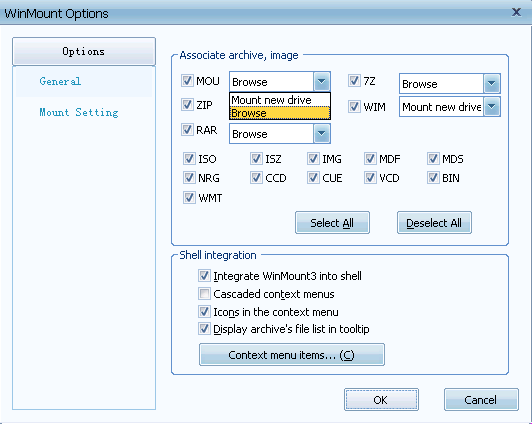
1) In the "options", choose WIM to associate with WinMount, and choose "browser" as open way.

browse WIM option

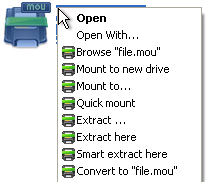
2) Double-click a WIM file in the Resource Manager, then all files in the WIM file are listed in the WinMount browser;

The 2nd method.

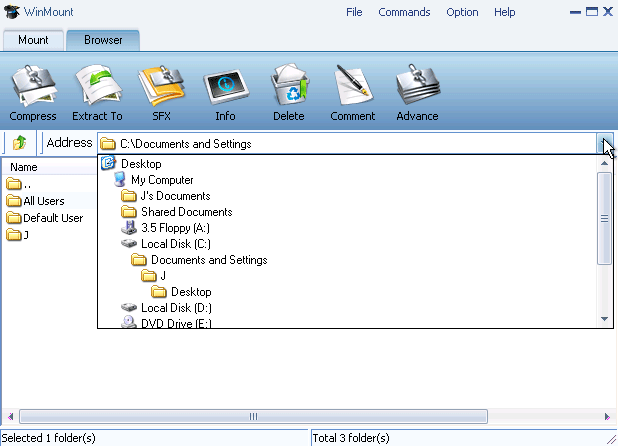
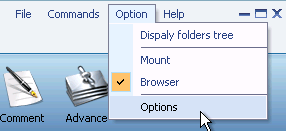
1) Select "Option" menu on the WinMount main interface, Select the "View -> Browser";

select browser view

2) Double-click a WIM archive in the browser, then you can browse the file directly.
All supported formats

WinMount formats: MOU, WMT

Compressed formats: RAR, ZIP, 7Z

Image formats: ISO, ISZ, BIN/CUE, CCD, MDF/MDS, NRG, BWT, IMG, WIM

Audio formats: Flac, APE, WV

Virtual hard disk: VHD


Buy WinMount for personal use
Download WinMount


Buy WinMount for company use
Download WinMount
Home | Affiliate | Link to us | Links | Awards | Bug report


© Copyright 2008 WinMount International Inc. All Rights Reserved

Email:support@winmount.com