How to create WMT files?

WMT

About WMT:

WMT file is a WinMount file. It's developed by WinMount international inc. It's not a compressed file, it just like a folder. You can save your files in it.

WMT can be opened by WinMount only. Encrypt function is being developed. This format is designed for protect the private files.


How to create WMT files:

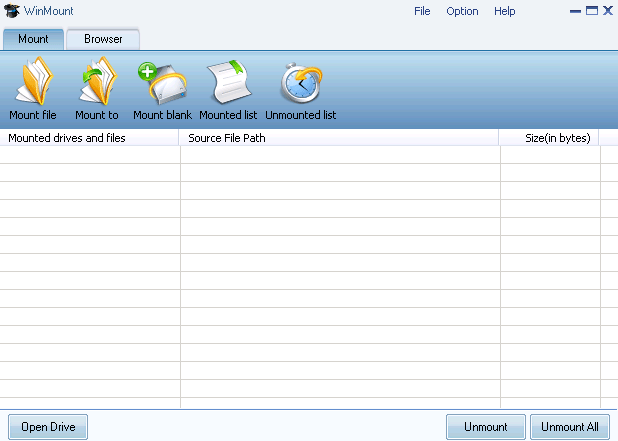
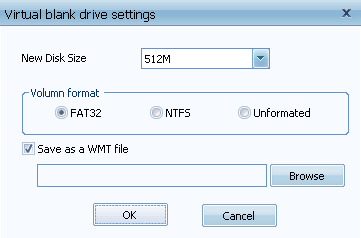
1) Click "Mount drive" on WinMount main interface. Then a dialog will appear.

Input the disk size and select a path to save the WMT file

2) Input the disk size and select a path to save the WMT file.

All supported formats

WinMount formats: MOU, WMT

Compressed formats: RAR, ZIP, 7Z

Image formats: ISO, ISZ, BIN/CUE, CCD, MDF/MDS, NRG, BWT, IMG, WIM

Audio formats: Flac, APE, WV

Virtual hard disk: VHD


Buy WinMount for personal use
Download WinMount


Buy WinMount for company use
Download WinMount
Home | Affiliate | Link to us | Links | Awards | Bug report


© Copyright 2008 WinMount International Inc. All Rights Reserved

Email:support@winmount.com