How to mount FLAC files?

About FLAC:
FLAC stands for Free Lossless Audio Codec, an audio format similar to MP3, but lossless, meaning that audio is compressed in FLAC without any loss in quality. This is similar to how Zip works, except with FLAC you will get much better compression because it is designed specifically for audio, and you can play back compressed FLAC files in your favorite player (or your car or home stereo) just like you would an MP3 file.
FLAC stands out as the fastest and most widely supported lossless audio codec, and the only one that at once is non-proprietary, is unencumbered by patents, has an open-source reference implementation, has a well documented format and API, and has several other independent implementations.
> WinMount supports mounting FLAC file as a virtual disk, there are 4 ways:
The 1st method.
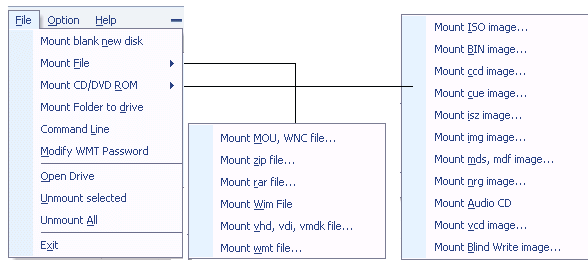
1) In the "Options", set FLAC to be associated with WinMount.

2) Double-click a FLAC file in the Resource Manager, WinMount would assign a new virtual disk for the FLAC file;
The 2nd method.
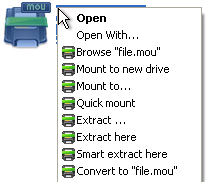
Right-click a FLAC file, choose "WinMount3 -> Mount to new drive", WinMount would assign a new virtual disk for the FLAC file;

. Mount to new drive : Mount the FLAC file to a new virtual drive.
. Mount to...: Assign a disk letter for the FLAC file. (Refer to "How to assign a disk?" on the bottom of this page.)
The 3rd method.
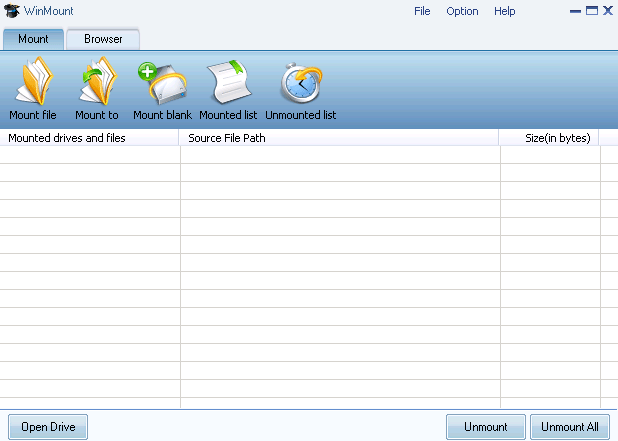
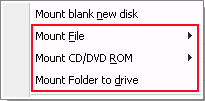
1) Click the button "Mount File" on the toolbar of WinMount main interface;

2) Select a FLAC files, click "ok". WinMount would assign a new virtual disk for the FLAC file;
The 4th method.
Drag a FLAC file to WinMount main interface directly, WinMount would assign a new virtual disk for the FLAC file;
How to assign a disk?
Of course, you can assign a disk for the FLAC file, such as H: or K: or whatever you like.
1) Click the button "Mount to" on the toolbar of WinMount main interface( or right-click the FLAC file and select "Mount to...").

2) Select a FLAC file, select a drive, then WinMount would mount the FLAC file to the assigned disk.

You can also input a path for the FLAC file.
For example, select "H:\" and input "folder\folder1", then the FLAC file would be mount to "H:\folder\folder1".


WinMount formats: