Home | Screenshots | Download | FAQ | BuyNow
[Add to Favorites]

Mount ZIP


About ZIP

The ZIP file format is a popular data compression and archival format. A ZIP file contains one or more files that have been compressed, to reduce their file size, or stored as-is.

The format was originally designed by Phil Katz for PKZIP. However, many software utilities other than PKZIP itself are now available to create, modify, or open (unzip, decompress) ZIP files.Microsoft has included built-in ZIP support (under the name "compressed folders") in later versions of its Windows operating system. Apple has included built-in ZIP support in Mac OS X 10.3 and later via the BOMArchiveHelper utility.

ZIP files generally use the file extensions ".zip" or ".ZIP" and the MIME media type application/zip. Some software uses the ZIP file format as a wrapper for a large number of small items in a specific structure. Generally when this is done a different file extension is used. Examples of this usage are Java JAR files, id Software .pk3/.pk4 files, package files for StepMania and Winamp/Windows Media Player skins, XPInstall, as well as OpenDocument and Office Open XML office formats. Both OpenDocument and Office Open XML formats use the JAR file format internally, so files can be easily uncompressed and compressed using tools for ZIP files. Google Earth makes use of KMZ files, which are just KML files in ZIP format.

How open the zip achives

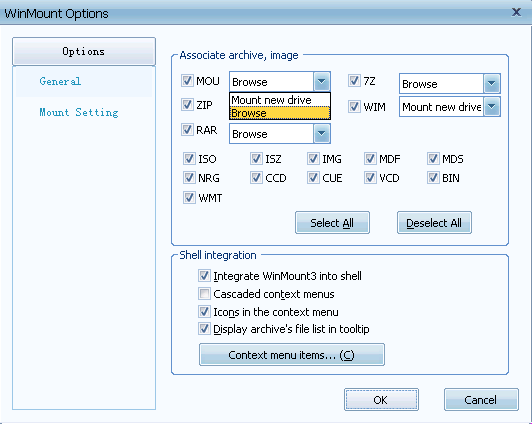
WinMount supports zip,you can use zip achives without decompression.

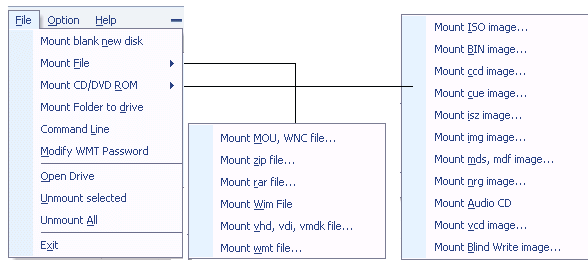
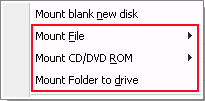
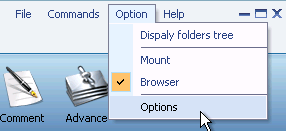
1.You can select "Mount ZIP" from WinMount main menu, and select ZIP files you'd like to mount.

mount zip from main menu

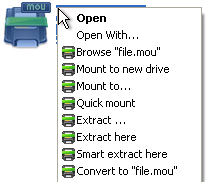
2. You can right click a ZIP file in Windows Explorer, and select "WinMount | Mount". You can mount the ZIP file on a new drive, such as S: or T: or whatever you like.

right click to mount zip


© Copyright 2008 WinMount International Inc. All Rights Reserved