How to mount IMG files?

IMG

About IMG:

IMG is a CloneCD Disk Image Data File. It Contains data copied from a CD by CloneCD; typically used for making backup copies of discs; should be saved in the same folder as the .CCD and .SUB files, which are referenced when burning a new CD.


> WinMount supports mounting IMG file as a virtual disk, there are 4 ways:

The 1st method.

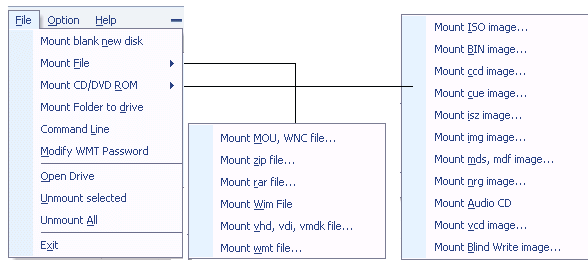
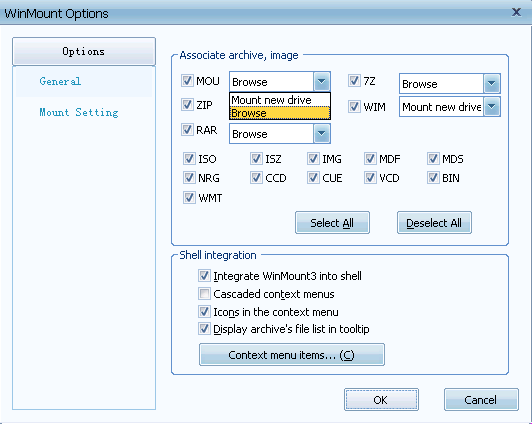
1) In the "Options", set IMG to be associated with WinMount.

Set IMG to be associated with WinMount

2) Double-click a IMG file in the Resource Manager, WinMount would assign a new virtual disk for the IMG file;

The 2nd method.

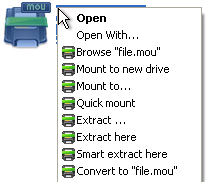
Right-click a IMG file, choose "WinMount3 -> Mount to new drive", WinMount would assign a new virtual disk for the IMG file;

right-click the IMG file and choose mount

. Mount to new drive : Mount the IMG file to a new virtual drive.
. Mount to...: Assign a disk letter for the IMG file. (Refer to "How to assign a disk?" on the bottom of this page.)

The 3rd method.

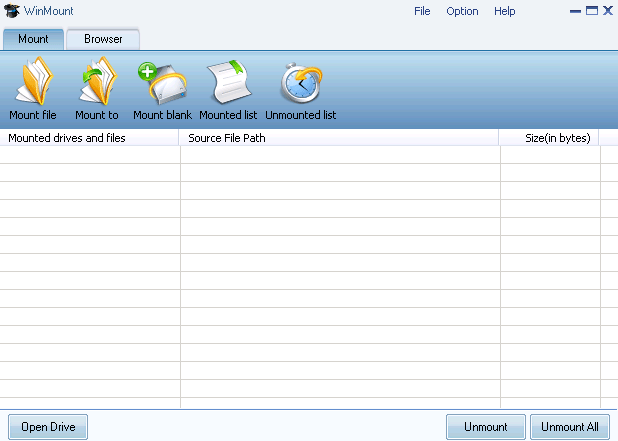
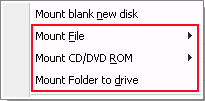
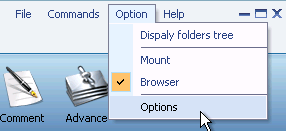
1) Click the button "Mount File" on the toolbar of WinMount main interface;

Mount toolbar

2) Select a IMG files, click "ok". WinMount would assign a new virtual disk for the IMG file;

The 4th method.

Drag a IMG file to WinMount main interface directly, WinMount would assign a new virtual disk for the IMG file;

How to assign a disk?

Of course, you can assign a disk for the IMG file, such as H: or K: or whatever you like.

1) Click the button "Mount to" on the toolbar of WinMount main interface( or right-click the IMG file and select "Mount to...").

step1: mount IMG to an assigned disk

2) Select a IMG file, select a drive, then WinMount would mount the IMG file to the assigned disk.

Step2: Select a disk and input a path for the IMG file

You can also input a path for the IMG file.
For example, select "H:\" and input "folder\folder1", then the IMG file would be mount to "H:\folder\folder1".

All supported formats

WinMount formats: MOU, WMT

Compressed formats: RAR, ZIP, 7Z

Image formats: ISO, ISZ, BIN/CUE, CCD, MDF/MDS, NRG, BWT, IMG, WIM

Audio formats: Flac, APE, WV

Virtual hard disk: VHD


Buy WinMount for personal use
Download WinMount


Home | Affiliate | Link to us | Links | Awards | Bug report


© Copyright 2008 WinMount International Inc. All Rights Reserved

Email:support@winmount.com