How to compress MOU files?

Copyright notice:
MOU is a WinMount proprietary format.1. MOU is free of charge. That is, MOU can be used or published by personal, commercial and goverment;
2. Any applies to commercial activities must be authorized by WinMount International Inc.
3. At the appropriate time, MOU will open its compression and decompression part of interface or source code.
About MOU:
MOU is a highly and fast compressed format. MOU use the unique technology that owned by WinMount, it can be directly opened in a instant without decompressing.MOU use the ramdom compression algorithm, this format is much diffrent from the traditional compress format. Traditional compress format must be completely extracted to use them, but MOU don't need to do that, it only extracts the part you want, save much time. MOU is a highly compressed format, its compress ratio is always above 40%. In the meanwhile, MOU is a fast format, it can be opened with WinMount in a instant, especially with large file, this advantage is much obvious.
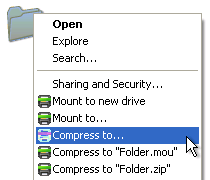
WinMount supports compressing MOU files, here are 2 ways:
The 1st method.
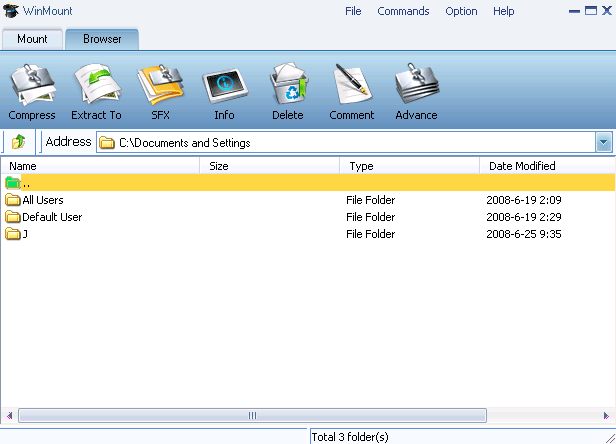
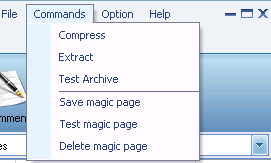
1) Select "Option" menu on the WinMount main interface, Select the "View -> make package".

Add files: Add files to the list.
Delete files: Delete the fles on the list.
Compress: Compress the files on the list.
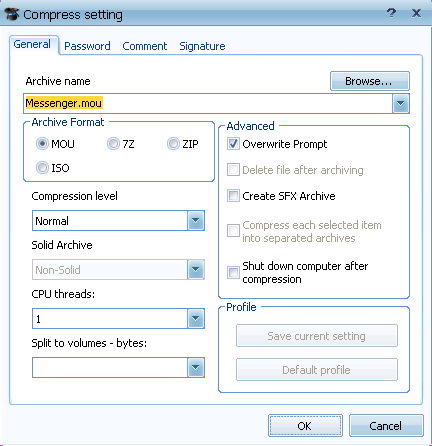
3) Click "compress..", select a directory to save the package, select format "MOU".

The 2nd method.
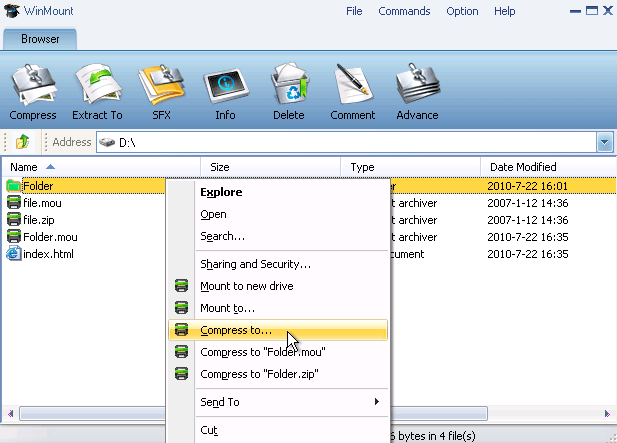
1) Right-click a MOU archive, select "WinMount3 -> compress";


WinMount formats: