How to decompress WIM?

What is WIM?

The Windows Imaging Format (WIM) is a file-based disk image format. It was developed by Microsoft to deploy its latest Windows operating system releases, Windows Vista and Windows Server 2008, which use it as part of their standard installation procedure. It works equally well with legacy versions of Windows however, and indeed is used as part of Windows Fundamentals for Legacy PCs.

WinMount can mount, decompress and browse WIM. Here shows you 2 ways to decompress WIM files.

1. Using browser mode

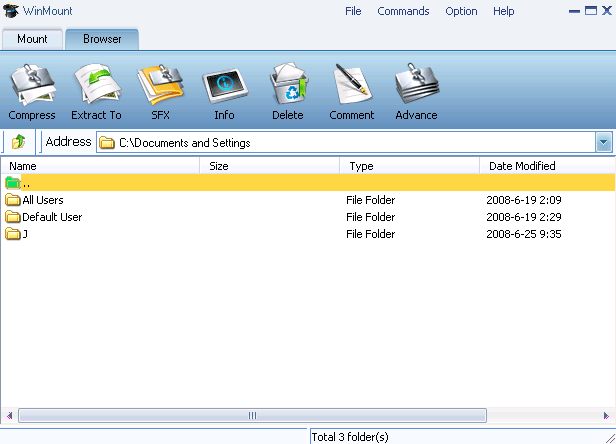
1) Select "Option -> Browser" on the WinMount main Menu;

select browser view

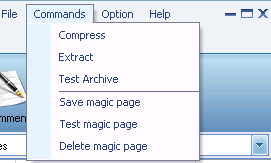
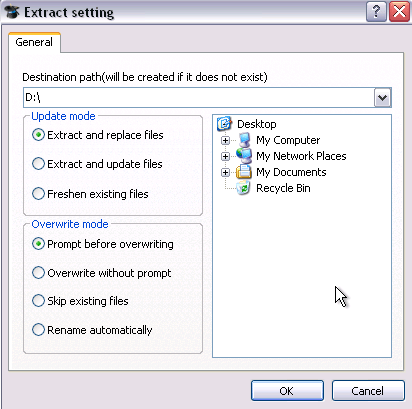
2) Select a WIM archive, click "Extract" on the toolbar.

click "extract" to decompress

2. Using right-click menu

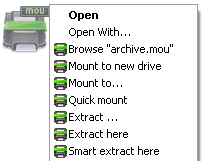
Right-click a WIM archive, choose "WinMount3 -> extract".

Extract MOU

. Extract to... : Extract to a selected directory.
. Extract here: Extract file to the current path.
. Extract to "Filename\": Extract file to a folder named "Filename" in the current path.
. Smart extract here: Extract file to a folder If there are several files inside. Extract file to current path if there is only a single file inside.

FAQ:

1. How to decompress RAR?
2. How to decompress ZIP?
3. How to decompress 7Z?
4. How to decompress WIM?
5. How to decompress ISO?
6. How to decompress MOU?

Home | Affiliate | Link to us | Links | Awards | Bug report


© Copyright 2007-2010 WinMount International Inc. All Rights Reserved

Email:support@winmount.com